


Ticketing System Architecture & Deployment
Building a Ticketing/Tracking System in Monday.com.
As a contractor at J.R. Simplot Company, I was brought in to support the migration from a legacy SiteCore intranet to a new platform built on Simpplr. Over the course of six months, I coordinated logistics, supported content transitions, and ensured operational continuity throughout the migration.
Once the new intranet was live, I architected a ticketing system to track issues and requests across the business unit. We used Monday.com as our project management tool, and I leveraged its full attribute set to build a system that could analyze usage patterns, surface trends, and visualize issue tracking in real time. This walkthrough demonstrates how the system works, how it was built, and how it enabled faster response times and clearer operational insight.
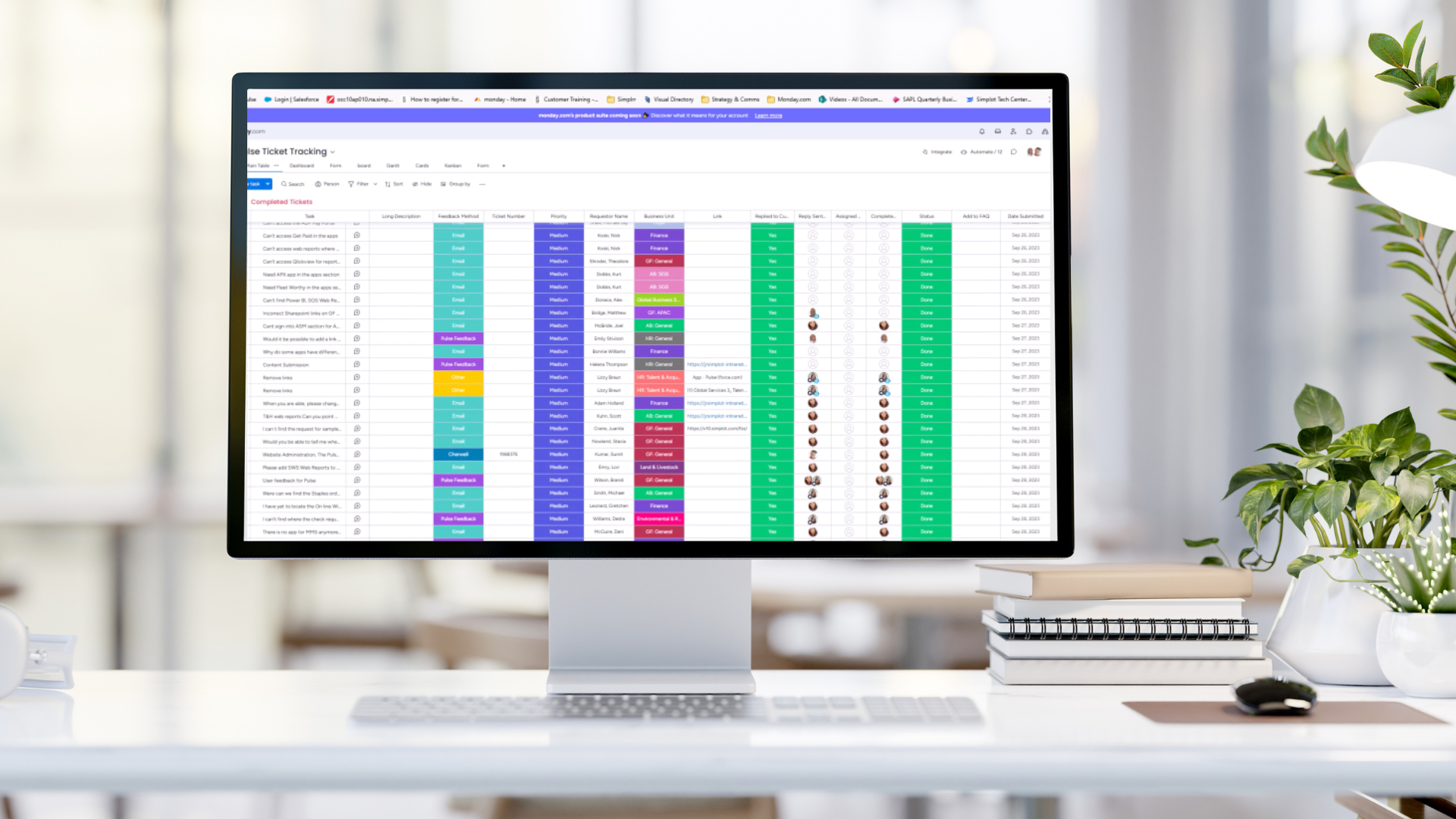
Construction
-
When an end-user or stakeholder requests assistance, has a “how to” question, or wants to report a bug, their description is the main field.
-
The reporting method is tracked: Did it arrive via email to one of the Communications team members, was it forwarded from elsewhere, or did it come from the IT tracking aparatus, a “desk drive-by,” or Teams?
-
A field is provided to track whether the user has been responded to so that they know their issue is being addressed. Clarifying questions or requests for more info are included in the response.
-
The business unit or department of the requestor is indicated for analytics use and tracking.
-
The item is assigned to a team member or several, depending on the complexity and whose area the issue covers.
-
The issue is resolved, and marked “done,” with the name of the team member who resolved it indicated. Also tracked is how long the issue took to solve from initial contact to resolution.
-
Timer is set to go on when an item is added, and shut off when it’s done, recording the length of time to resolution. All analytics are tracked in charts on a dashboard for easy reporting.
Automation
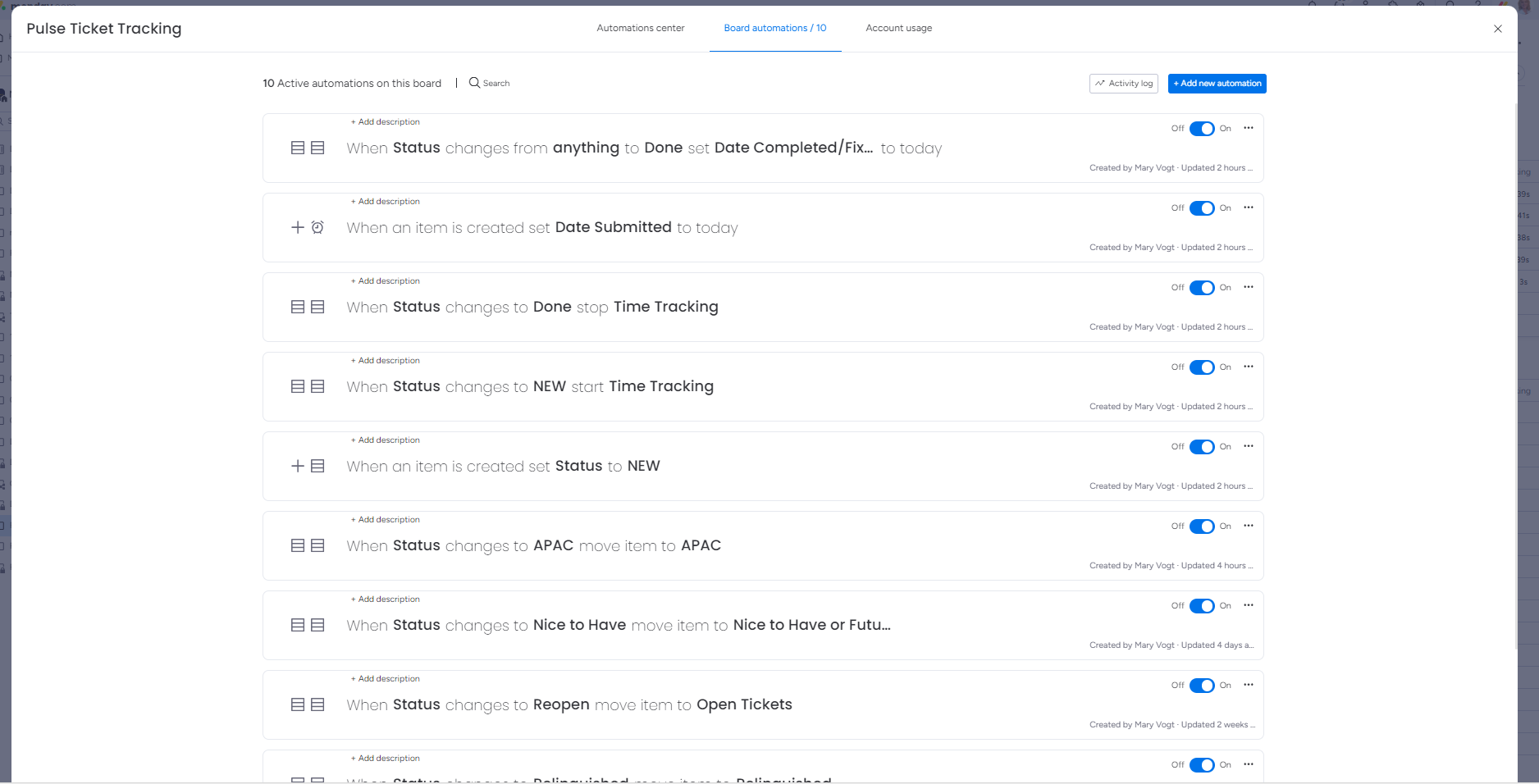
Monday.com provides the ability to automate fields and actions in its tables.
Automations were set up to track an initial contact and start time-tracking when a new item description was entered. The status column would automatically change to “new” denoting a new issue.
Additionally, once an item was marked “done,” it was moved into another section, kept separately from active/unresolved issues.
Video Walk-through
This walkthrough was created using Camtasia to demonstrate the ticketing system I built in Monday.com. What you're seeing is a full recreation of the system I originally designed for J.R. Simplot Company to track intranet issues and requests. The video walks through how the system works, how it was structured, and how it supports trend analysis, response tracking, and operational clarity.